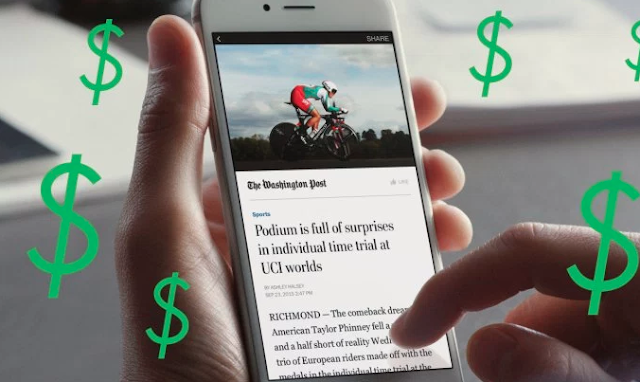
Facebook now testing paywalls and subscriptions for Instant Articles: A few months ago it was reported that Facebook may begin testing paywalls and subscriptions for Instant Articles beginning in October. Well now it’s October, and surprise – Facebook has started testing subscription support for instant articles!
Here’s how it will work: Facebook will start with two paywalled options for publishers to choose from:
The first option is a metered model where everyone gets to read 10 free stories per month before needing to subscribe. The second is a freemium model where the publishers choose which articles to lock.
When someone who isn’t a subscriber hits one of these paywalls, they will be promoted to subscribe for full access to the publishers’ content.
One really interesting aspect – if you want to purchase a subscription Facebook will direct you to the publisher’s website to complete the transaction, meaning they process the payment directly and can keep 100% of the revenue and transaction data. The subscriptions will then also include access to the publisher’s full site, and existing subscribers can also authenticate within Instant Articles so they can get full access without paying twice.
Redirecting users away from Facebook to complete a transaction is a huge win for publishers. But not everyone is happy with the arrangement. Notably, Recode reports that Apple is balking at the subscription signup flow, saying it violates the company’s rules about subscriptions sold inside apps. Right now Apple gets up to 30% of all subscriptions sold inside 3rd-party iOS apps, so Facebook’s current signup method would strip them of this revenue.
For this reason the feature isn’t launching yet on Apple – only Android, which doesn’t have any restrictions on how subscriptions can be sold. There’s no timeline for when a deal could be made with Apple, with Facebook only saying that “this initial test will roll out on Android devices first , and we hope to expand it soon.”
Facebook says many of their partner publishers identified subscriptions as a top priority, and especially requested the ability to maintain control over pricing, offers, and all the revenue generated from each subscription.
The ten participating publishers at launch are Bild, The Boston Globe, The Economist, Hearst (The Houston Chronicle and The San Francisco Chronicle), La Repubblica, Le Parisien, Spiegel, The Telegraph, tronc (The Baltimore Sun, The Los Angeles Times, and The San Diego Union-Tribune), and The Washington Post.
The tool will roll out over the next few weeks, and one a publisher is on board paywalls and subscriptions will immediately be available to all users seeing those stories.

Here’s how it will work: Facebook will start with two paywalled options for publishers to choose from:
The first option is a metered model where everyone gets to read 10 free stories per month before needing to subscribe. The second is a freemium model where the publishers choose which articles to lock.
When someone who isn’t a subscriber hits one of these paywalls, they will be promoted to subscribe for full access to the publishers’ content.
One really interesting aspect – if you want to purchase a subscription Facebook will direct you to the publisher’s website to complete the transaction, meaning they process the payment directly and can keep 100% of the revenue and transaction data. The subscriptions will then also include access to the publisher’s full site, and existing subscribers can also authenticate within Instant Articles so they can get full access without paying twice.
Redirecting users away from Facebook to complete a transaction is a huge win for publishers. But not everyone is happy with the arrangement. Notably, Recode reports that Apple is balking at the subscription signup flow, saying it violates the company’s rules about subscriptions sold inside apps. Right now Apple gets up to 30% of all subscriptions sold inside 3rd-party iOS apps, so Facebook’s current signup method would strip them of this revenue.
For this reason the feature isn’t launching yet on Apple – only Android, which doesn’t have any restrictions on how subscriptions can be sold. There’s no timeline for when a deal could be made with Apple, with Facebook only saying that “this initial test will roll out on Android devices first , and we hope to expand it soon.”
Facebook says many of their partner publishers identified subscriptions as a top priority, and especially requested the ability to maintain control over pricing, offers, and all the revenue generated from each subscription.
The ten participating publishers at launch are Bild, The Boston Globe, The Economist, Hearst (The Houston Chronicle and The San Francisco Chronicle), La Repubblica, Le Parisien, Spiegel, The Telegraph, tronc (The Baltimore Sun, The Los Angeles Times, and The San Diego Union-Tribune), and The Washington Post.
The tool will roll out over the next few weeks, and one a publisher is on board paywalls and subscriptions will immediately be available to all users seeing those stories.
Source: TechCrunch
Facebook now testing paywalls and subscriptions for Instant Articles
ReplyDelete
ReplyDeleteContact customer helpline
+1 866 528 5'O.O7 .
Best information ever ,''''