
How to Create A New Facebook Photo album

How to Create A New Facebook Photo album: We all have those pictures we take of very special moments to upload on Facebook for our friends to see. But to avoid answering questions like "What is happening" or "Where did it happen" etc, wouldn't it be easier and much more simpler to create a photo album for those pictures? Here's how to create Facebook photo album:
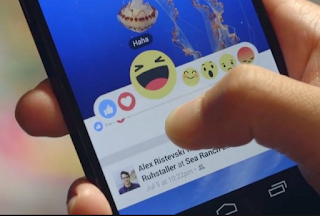


How to Create A New Facebook Photo album


Check out: How To See/View Your Blocked List On Facebook


HOW TO CREATE FACEBOOK PHOTO ALBUM

On Your Facebook Application:

  1. Tap on "What's on your mind"
  2. Tap on "+Album" 
  3. Tap on "Create"
  4. Fill in the album name and add a description (description is optional)
  5. Tap on "Friends" to choose who can see that particular photo album (this is also optional but I would advice you to set the viewing audience to your own standard for security reasons)
  6. Tap on "Feature on profile" and set it on off or on to either feature on your profile or not
  7. Tap on "Add contributors" and set it on off or on to add friends as contributors to the album
  8. Tap on "Create"at the top right hand corner of the page then proceed to add as much pictures as you want

On Your Browser:

  1. Log in your Facebook profile
  2. Click on "What's on your mind"
  3. Click on "+Album" (at the bottom of the screen)
  4. Fill in the Album name and Add a description (Description is optional)
  5. Enter friend's names to add them as contributors (also optional)
  6. Set Feature on profile to on or off for the album to feature on your profile (also optional)
  7. Click on Privacy to choose who sees the album (this also is optional but you are advised to set it to your standard for security reasons)
  8. Click on "Create" (at the bottom of the page) 

That's all, please share this article. Visit Source of the article here

    Comments

    1. how to create new Facebook Account call +1 833 272 O777___
      Customer service phone number +1 833 272 O777___@#@%$......:":":":":":"""

      ReplyDelete
    2. contact customer helpline phone number +1 8OO 648 162O
      contact customer helpline phone number +1 8OO 648 162O
      contact customer helpline phone number +1 8OO 648 162O

      ReplyDelete
    3. Customer helpline number is +1 866 - 528- 5OO'7
      Best information i had ever seen ,..,,.

      ReplyDelete

    Post a Comment

    Popular posts from this blog

    How Do You Delete Facebook Messages

    How Do You Delete Facebook Messages - Facebook is one of the most prominent and biggest system for connecting with various people all over the word. It is a terrific means to share your expertise, views, images, videos, your items and so on. However the most typical point a Facebook users do is to chat with his/her friends. You can talk easily with any kind of number of people you intend to if they is on Facebook. However all the messages you send out as well as get through Facebook are saved in your Facebook profile which you could see later if needed. However if you have got some actually personal messages which you don't intend to show any person then it's is a big NO to keep them on you inbox of the Facebook account. As if in some way any person got into your Facebook account or pull it off then the messages can be mistreated. So, it is constantly excellent to keep your Facebook account on the secure side. Yet the best ways to erase Facebook messages or conversation? Wel...

    View Blocked List On Facebook

    How To See Your Blocked List On Facebook: Want to find out where your blocked friends are on Facebook? We will see how to check Facebook blocked users list so you can decide whether to unblock them or not. Facebook allows you to block and unblock people. You can block anyone bothering on you Facebook. So how do you go about accessing those friends or Facebook users that you've blocked? We shall see how to locate users blocked by you on FB. How To Locate Your Blocked List On Facebook Below are the steps to be taken in order to view all your blocked list. To view your Facebook block list: Click   in the top right of any Facebook page Click Privacy Shortcuts Click How do I stop someone from bothering me? Click View All Blocked Users. Please share this guide. Thank you!

    How to deactivate fb in 5seconds

    Check out how to deactivate your fb account in 5seconds: On Your Facebook Application: Tap on the menu button at the top right hand corner of the page Scroll down and tap on "Account Settings" On the pop-up screen, tap on "General" On the pop-up screen, tap on "Manage Account" . This will take you to your Legacy contacts and Deactivation Settings On the pop-up screen, tap on "Deactivate" at the right hand side of Account On the screen that pops up, enter your password and tap on "Continue" On the next pop-up screen, you will be asked if you are sure you want to deactivate your account, scrolling down, you will be required to give your reasons for leaving, afterwards click on "Deactivate" at the bottom of the screen Learn: How to Delete and Uninstall a Facebook App How Can I Go Live on Facebook? How to Post in Different Languages On Facebook Page On Your Browser: Click on the drop-down menu at t...