How to Download GIF to Phone: GIF (Graphics Interchange Format)
images are extremely popular, if you don’t know, GIF is a moving
picture that looks like video yet it doesn’t have sound and thus is much
lighter than a video file. This kind of images can be used to show a
particular moment from a movie, an educational film or a music video.

GIF
can be saved easily on android and on PC but it can be a bit difficult
to do on iPhone, this is because iPhone doesn't support moving images,
if you save it, only a static image will be saved. To save GIF on
iPhone, follow these steps;

 And
that's all, with this, you can save as many GIF as possible. Kindly
share this with your friends so they can also get to save GIF on their
phone.
And
that's all, with this, you can save as many GIF as possible. Kindly
share this with your friends so they can also get to save GIF on their
phone.
Read: How to View Facebook Profile as Public
- When you found a GIF that you want to save, tap and hold the image for a moment to see the menu. As soon as it appears, choose Save Image to save the GIF to your Camera Roll.
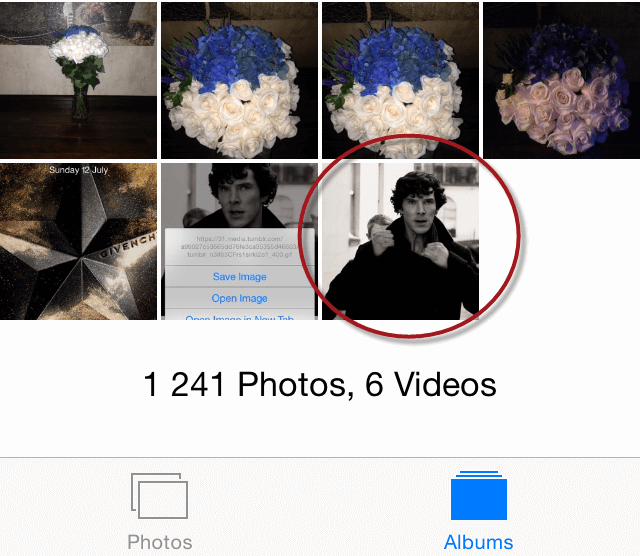
- Now, you need to run Photos app, go to Camera Roll and find the image you’ve just saved.
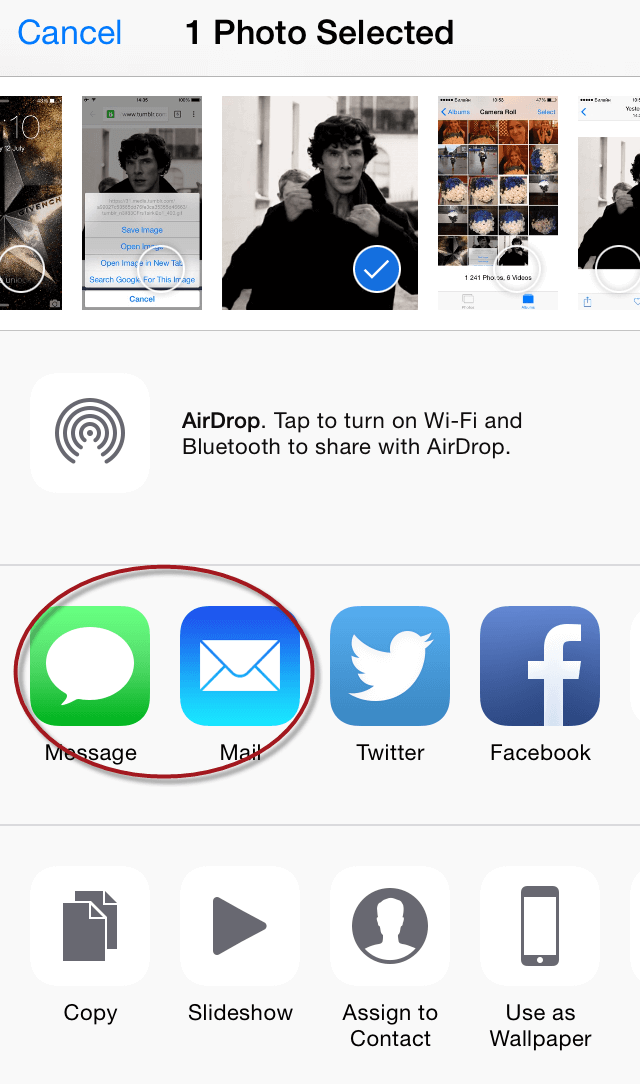
- Tap the Share button and choose Message or Mail. Send the message to your own email or phone number to view it animated again. Or you can always share the GIF with your friend and see it whenever you want in a chatting history.
Read Also: How to Change Facebook Birthday
Customer helpline number is +1 8 6 6 - 5 2 8 - 5 O'O'7
ReplyDeleteBest information ever '',